

01Morning
Sell
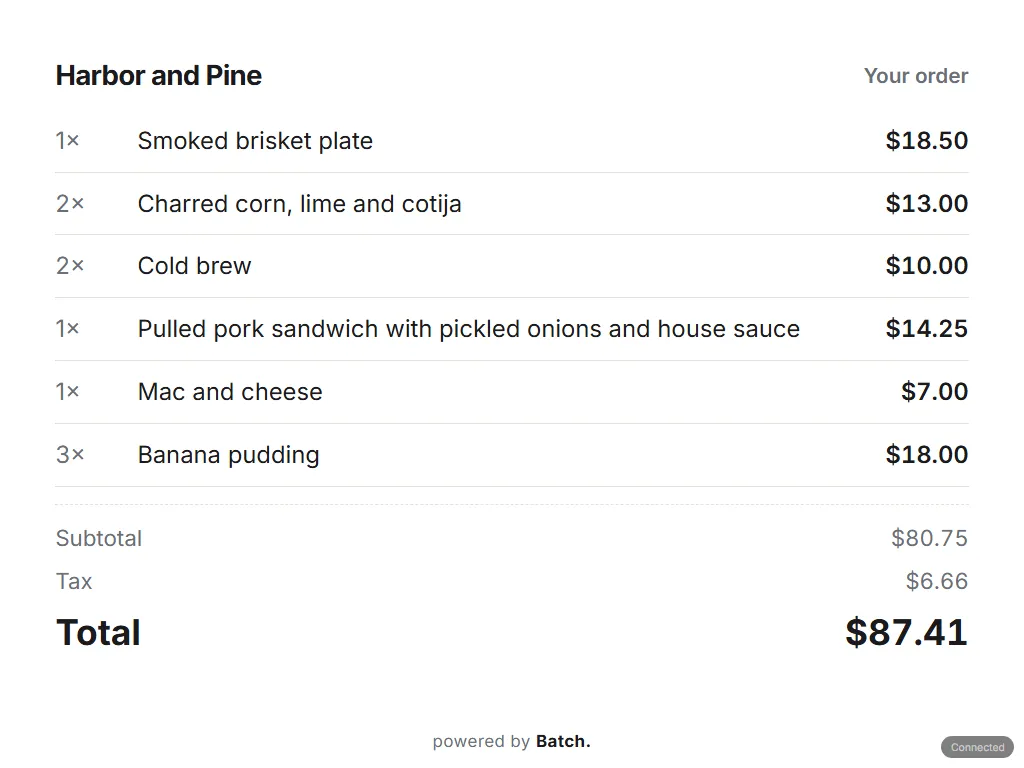
Items, modifiers, discounts and payment on one screen.
Point of sale, payments, your team and the books on one system, from your first sale to your hundredth location.
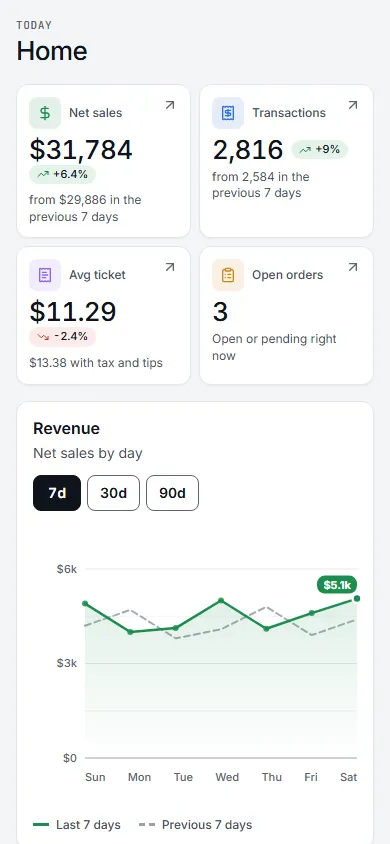
On Plus, the sale posts itself to the books. Nothing to export, nothing to re-key.
Why it’s hard
A register here. A booking app there. A time clock, a tip sheet, an inventory spreadsheet, accounting software, a loyalty app. Each has its own login and its own bill, and their numbers rarely match. By the end of the month you’re not running the business. You’re reconciling it.
13 separately billed tools become one system: One sign-in per person, One subscription, Shared records.
How it works
Sales, bookings, shifts and payments read the same customer and item records, so nothing needs exporting from one tool to another.
13 separately billed tools become one system: One sign-in per person, One subscription, Shared records.
A day on Batch
01Morning
Items, modifiers, discounts and payment on one screen.
02Midday
Tables, tabs, bookings and shifts stay in sync. Tickets fire to the kitchen display.

03Night
On Plus, each completed sale posts to the general ledger, so there is nothing to export or re-key.

The hard part of the day is running your business. Batch handles the rest.
And more
Basic covers the counter. Plus adds payroll, the general ledger, loyalty, gift cards, marketing, kiosk mode and menu boards. Text messaging is coming soon.


Under the hood
Most business software is a pile of apps held together with integrations. Batch was built as one system from the start: one codebase, one database and one core that payments, reporting, the books and permissions all share. There are no integrations between the parts to keep in sync.
01
Double-entry accounting, posted by the sale itself, on Plus.
02
The card is encrypted on the reader, and Batch never stores the card number.
03
Everyone from owner to front desk sees what their role allows.
04
Reports across every location, on Plus.
Grows with you
01
Open the doors with a register, payments and your menu or catalog.
02
Add staff, bookings, inventory and marketing as you need them, on the same system.
03
Add a location and it runs on the same system. Stock is counted location by location, roles apply across the business, and reports roll up over all of it.
One subscription covers the business, however many locations you run.
Built for how you work
Restaurants get tables and a kitchen screen, retail gets variants and purchase orders, and studios get a booking calendar.
Pricing
One monthly plan for the whole business, with software from $49/mo, plus card processing at the rate we quote you. No contract, no setup fee.
Text messages (coming soon) and AI usage are billed on what you use.
Compare every planBasic
Recommended$49/mo
What you need to start selling: point of sale, inventory, team and reports.
Plus
Starts at
$149/mo
Adds payroll, the general ledger and multi-location roll-ups. Grows with your team: more employees, seats and rules cost more past what’s included.
Enterprise
Custompricing
For chains and high-volume operations. Quoted per business.
FAQ
For anything not listed here, ask the assistant on this page, or write to support@getbatch.net.
See every questionEvery plan is a monthly subscription for the whole business, and you process cards with Batch at the rate we quote you. Text messages (coming soon) and AI usage are billed on what you use. Basic runs the counter, Plus adds the back office, and Enterprise is quoted.
Basic runs the counter: card payments, the point of sale, the floor, inventory, team and reporting. Plus adds the back office: payroll runs, a double-entry general ledger, loyalty, email marketing and multi-location roll-ups. Text messaging is coming soon. Enterprise is for chains and high volume, and it is quoted.
We quote it against your volume. At that size the processing rate is the bigger number and it depends on what you run and your card mix, so we come back with the rate and the plan price together. There is no list price to quote you.
No long-term contract and no setup fee. Move up or down a plan whenever you want.
Two things at the counter: the register your team rings on, and the customer-facing pad the card is read on. The pad also comes off the counter and keeps working on Wi-Fi or 4G, so you can take payment at the table, at the curb or at an event. Kitchen display and menu-board screens run on ordinary displays.
Yes. Payments, the floor, inventory, scheduling, team, marketing and the books share one database, and the business pays one subscription. Turn on the parts you use and the rest stays out of the way.
Batch does not store card numbers. The terminal encrypts the card at the reader, and the sale keeps the last four digits. Each person sees only what their role allows, and each business’s data is kept separate, with row-level isolation in the database as a second check.
Ask us directly
Ask the assistant, or tell us how your business runs today.
Start with Batch today and run the whole business on one system.
Not sure which plan? Compare pricing


